 By the Quad
Close, from a distance.
A way for families to stay connected to their student at boarding school.

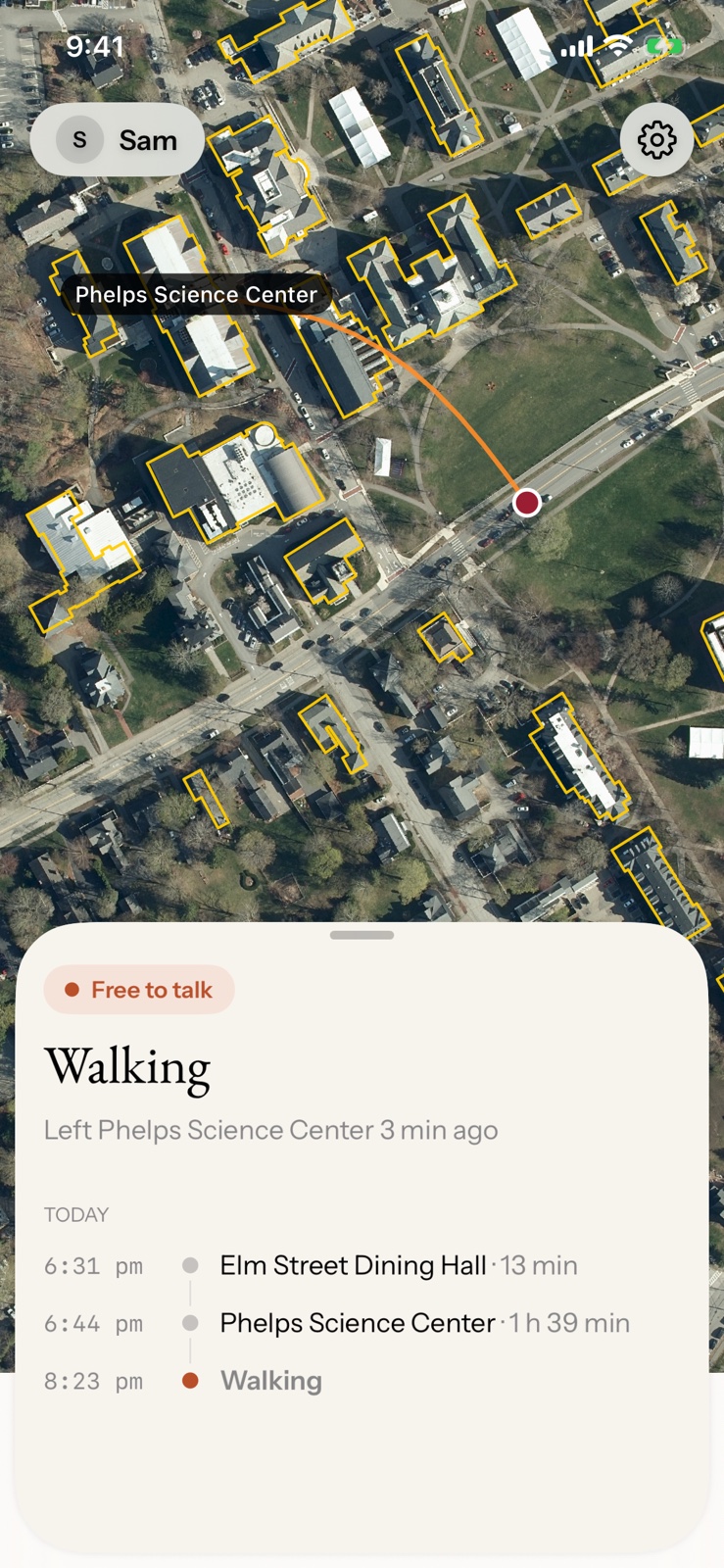
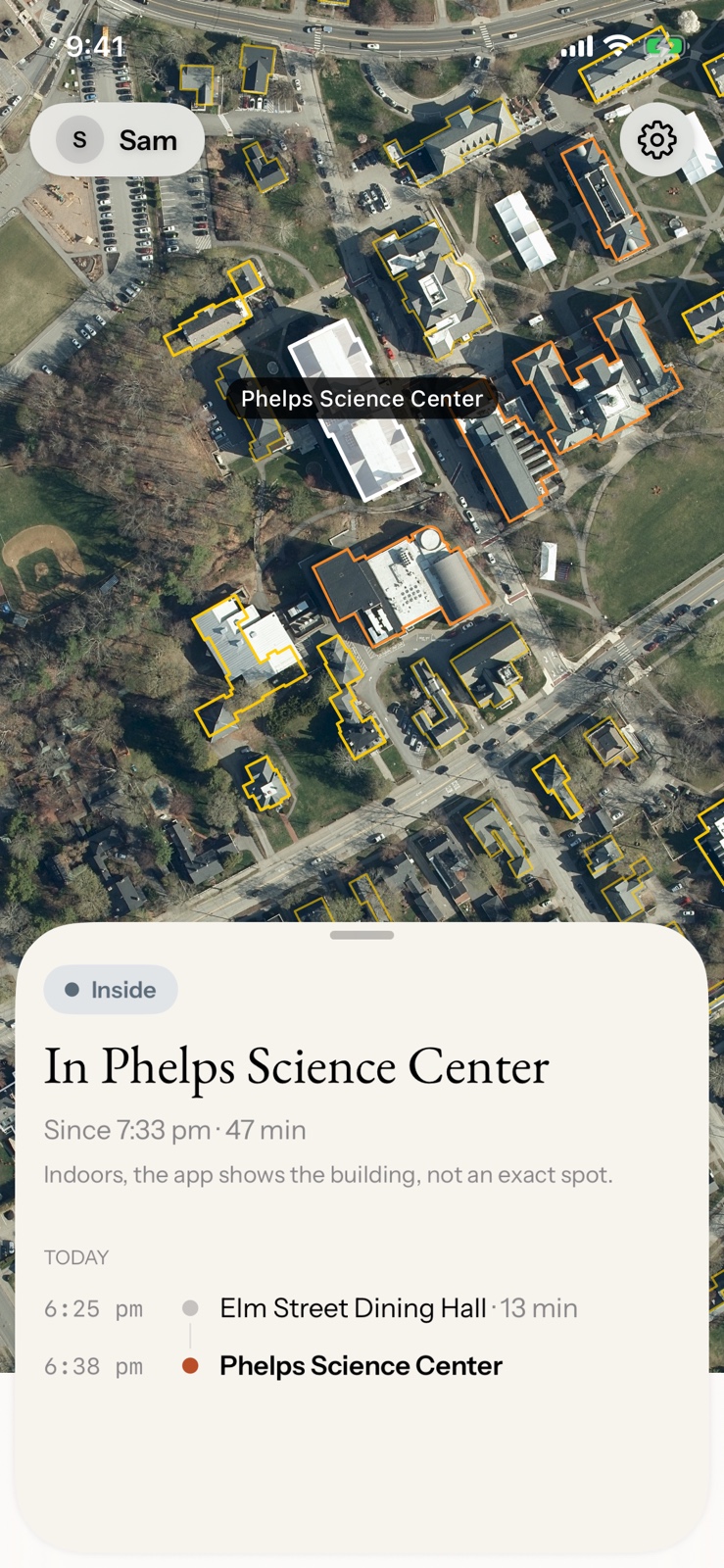
Your son or daughter is away at boarding school, enjoying a great adventure. By the Quad shows you which building they’re in on a real map of their campus, so you can stay connected without overstepping.
Still part of their day.
A building name and with walking indicator.
A phone’s own map puts them in a gray circle somewhere in the middle of campus. By the Quad says “Phelps Science Center, since 7:34 pm” — the dining hall, the library, their house: a real place you can picture. Knowing they’re in the library tonight, or just got back to their house, is a small way of being part of their day from far away.
A hello, when it fits their day.
By the Quad shows when they’re walking around campus and when they’re by the quad — between classes or on the way to dinner. That’s a good moment to catch them for a text or a quick chat. Turn on alerts and the app tells you when they set off, so you can text when they have a minute.
They decide who sees.
They choose who sees.
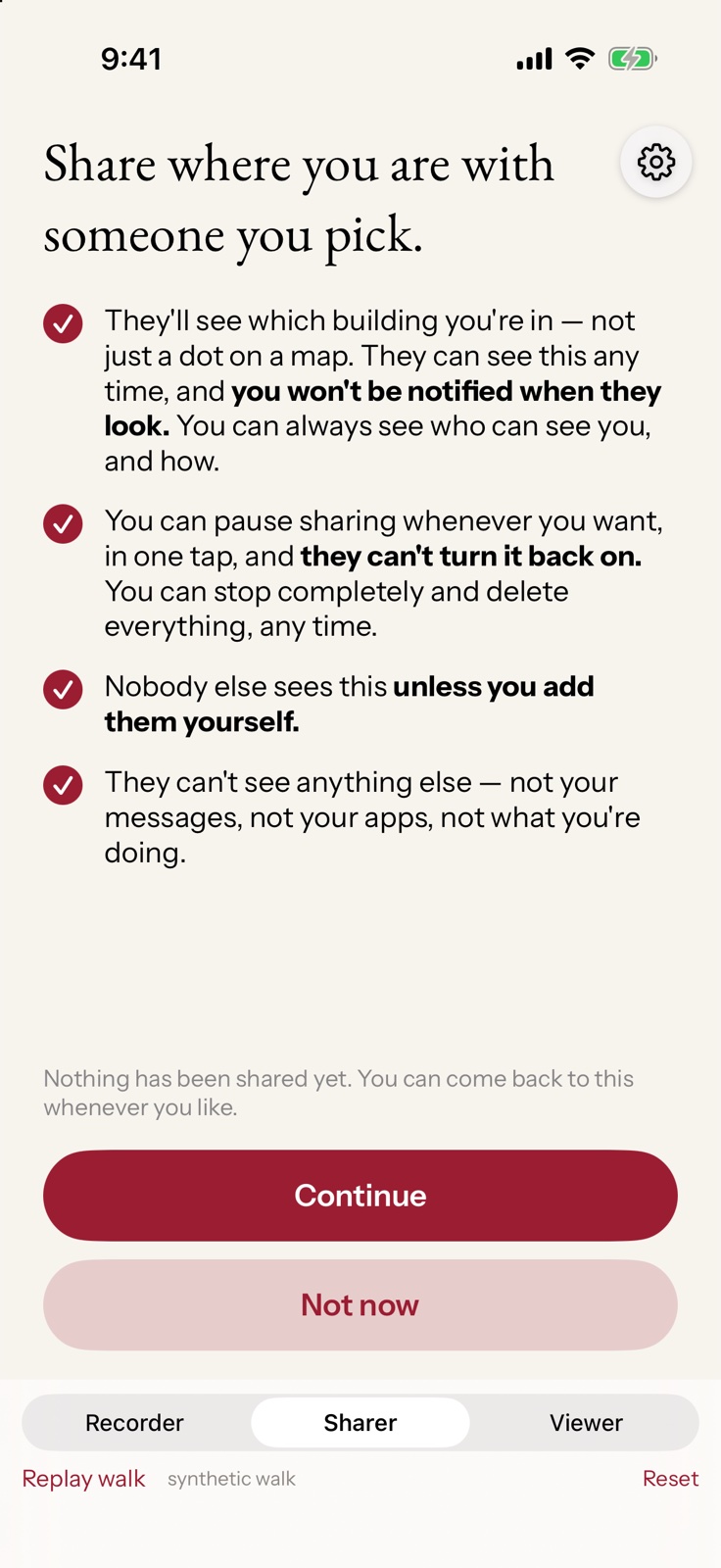
They install it, they pick each person by name, and they say yes. Nobody adds themselves. For them it means: my family is there, and I don’t have to keep reporting in.
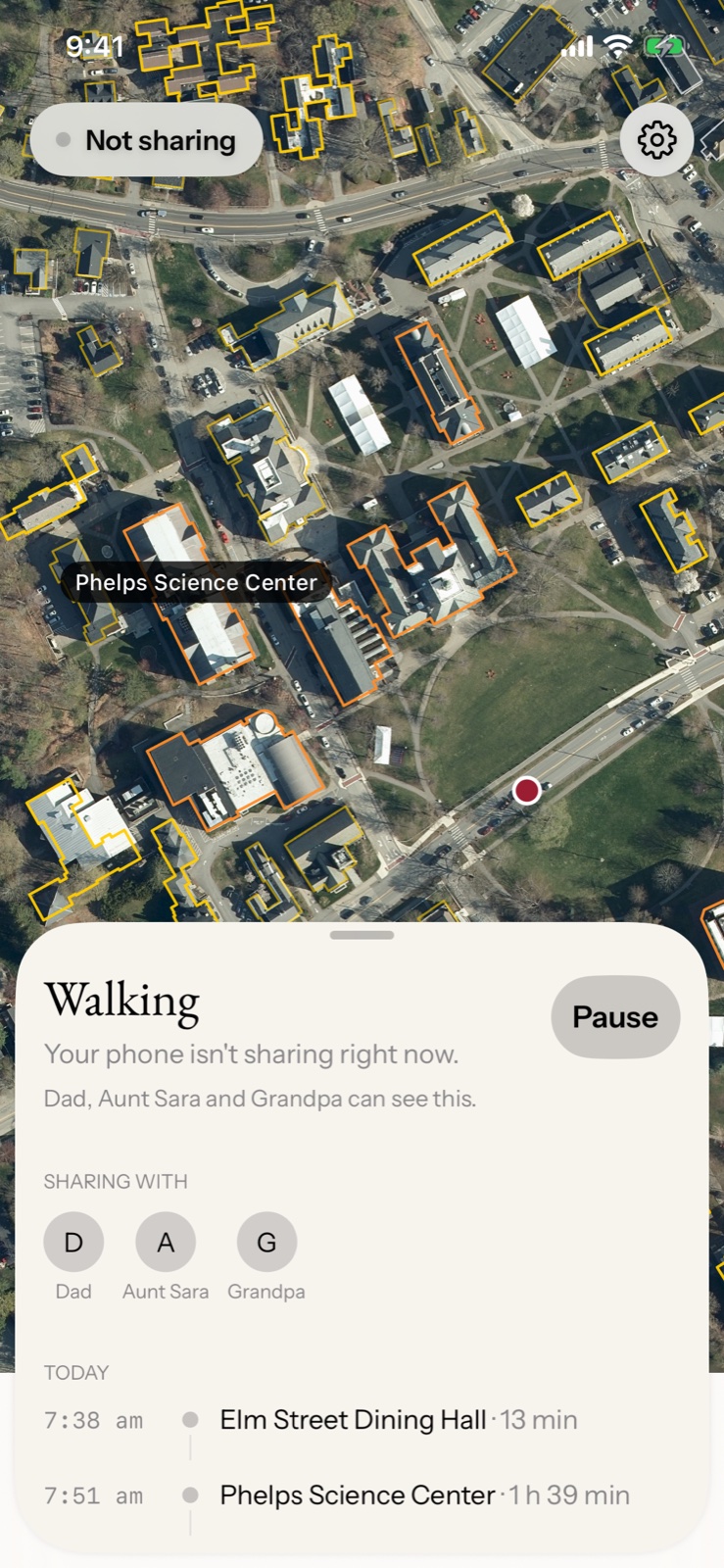
Pause is one tap, no explanation.
Some afternoons are theirs. Pause sits on their home screen, works per person, and asks for no reason. Paused means the app stops reading the phone’s location, not just stops showing it.
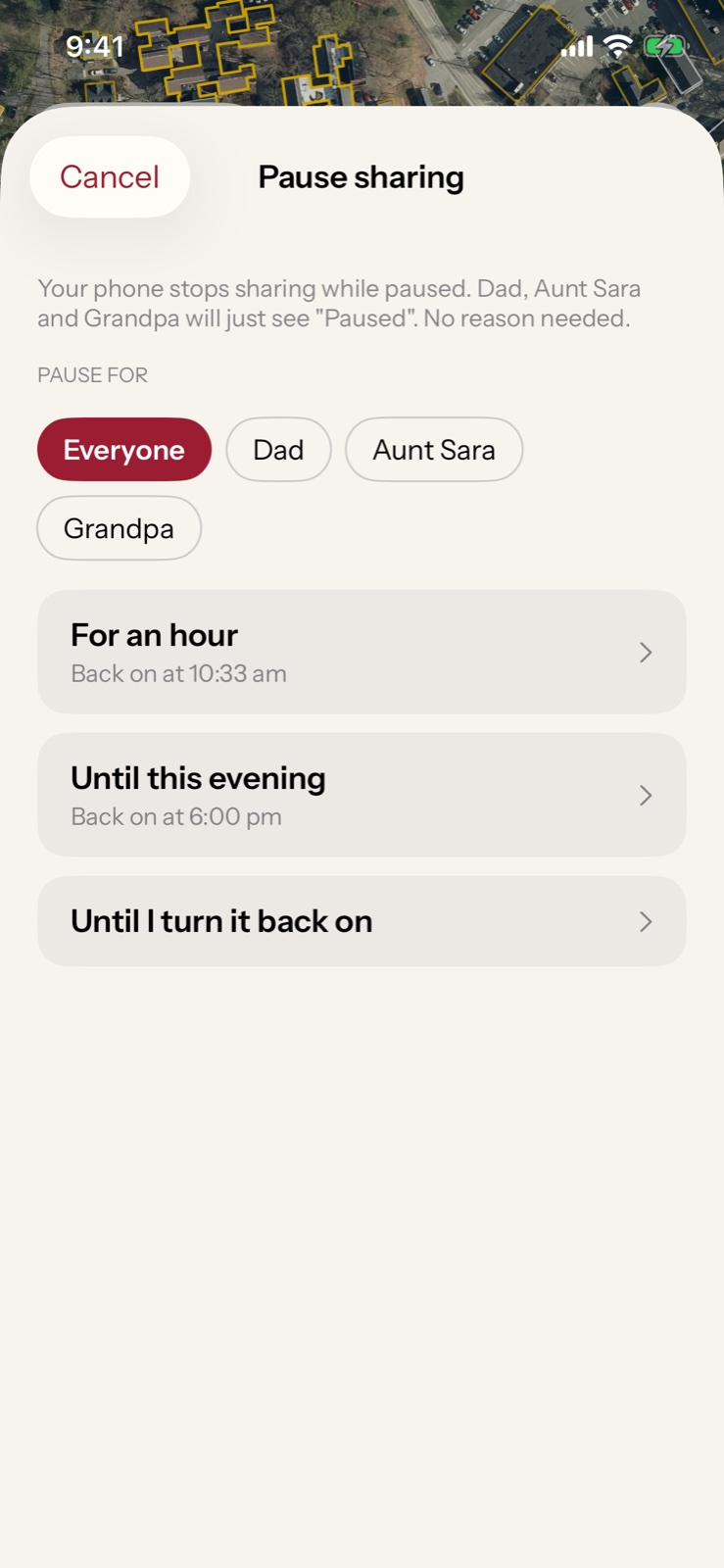
They see what you see.
Their phone shows the same map you’re looking at, plus who can see them and who gets told when they start walking. There is no parent-only view. They always know what you can see.
Watch them grow, from wherever you are.
By the Quad is not a safety product. It isn’t for emergencies, isn’t for finding a lost person, and has no override. It’s for the ordinary evening when you wonder where they are, look, and let them be.
Between the two of you, and nobody else.
Only where they are right now. We keep no history, run no ads or analytics, and never sell or share it with anyone they didn’t name. Pause, remove a viewer, or delete everything from inside the app.
Stay connected to their campus.
Phones can already put a dot on a map. By the Quad knows which building is which on their campus, and tells you when they’re walking.
Made by a parent, for boarding school families.
How well do you know Exeter?
A short quiz on the campus buildings, for new students and their families. No sign‑up.